Expense reports
Claims grouped for approval and reimbursement, with the totals and the exceptions surfaced.
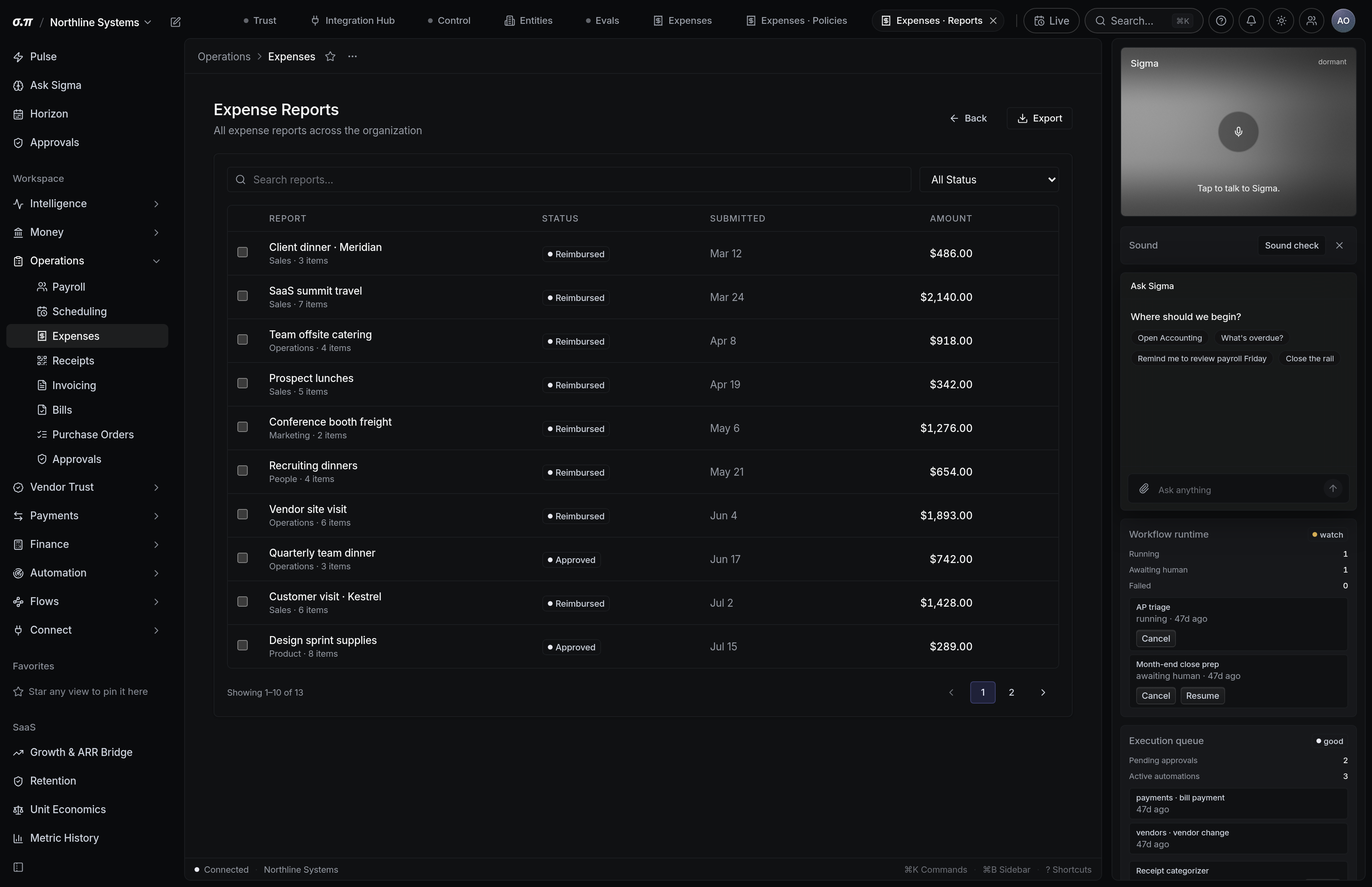
A report is a period of claims from one person. Grouping them makes approval one decision and reimbursement one payment rather than several.
The report shows the total, the split by category, and every claim that needs attention before it can be approved.
Where everything sits
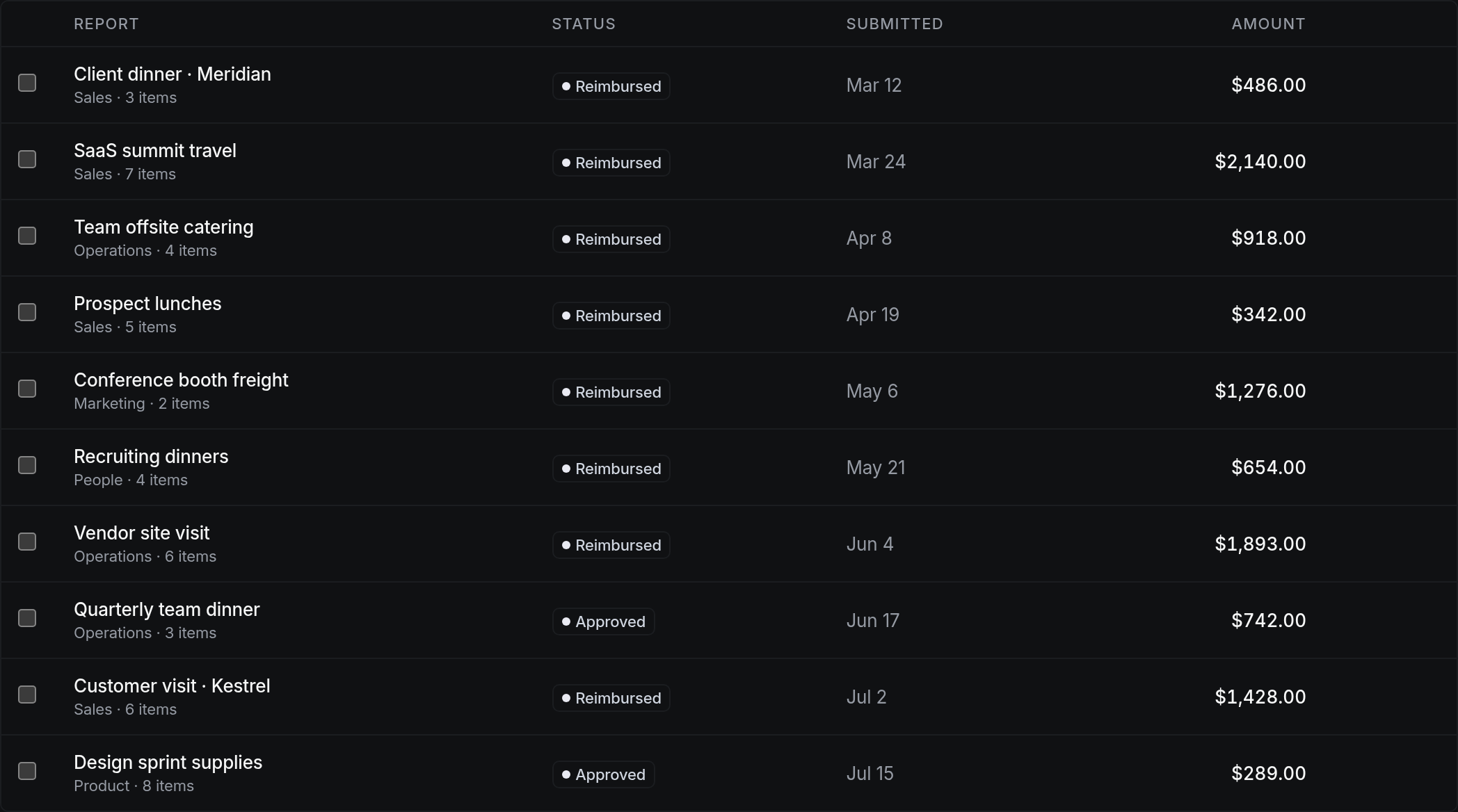




How to work this page
Anything over policy or missing a receipt is at the top. The rest is usually routine.
It tells you what the period was actually spent on faster than reading individual claims.
One approval covers the set. Individual claims can still be rejected out of it.
It goes out as one payment and posts against each claim, so the person's balance clears cleanly.
On a phone
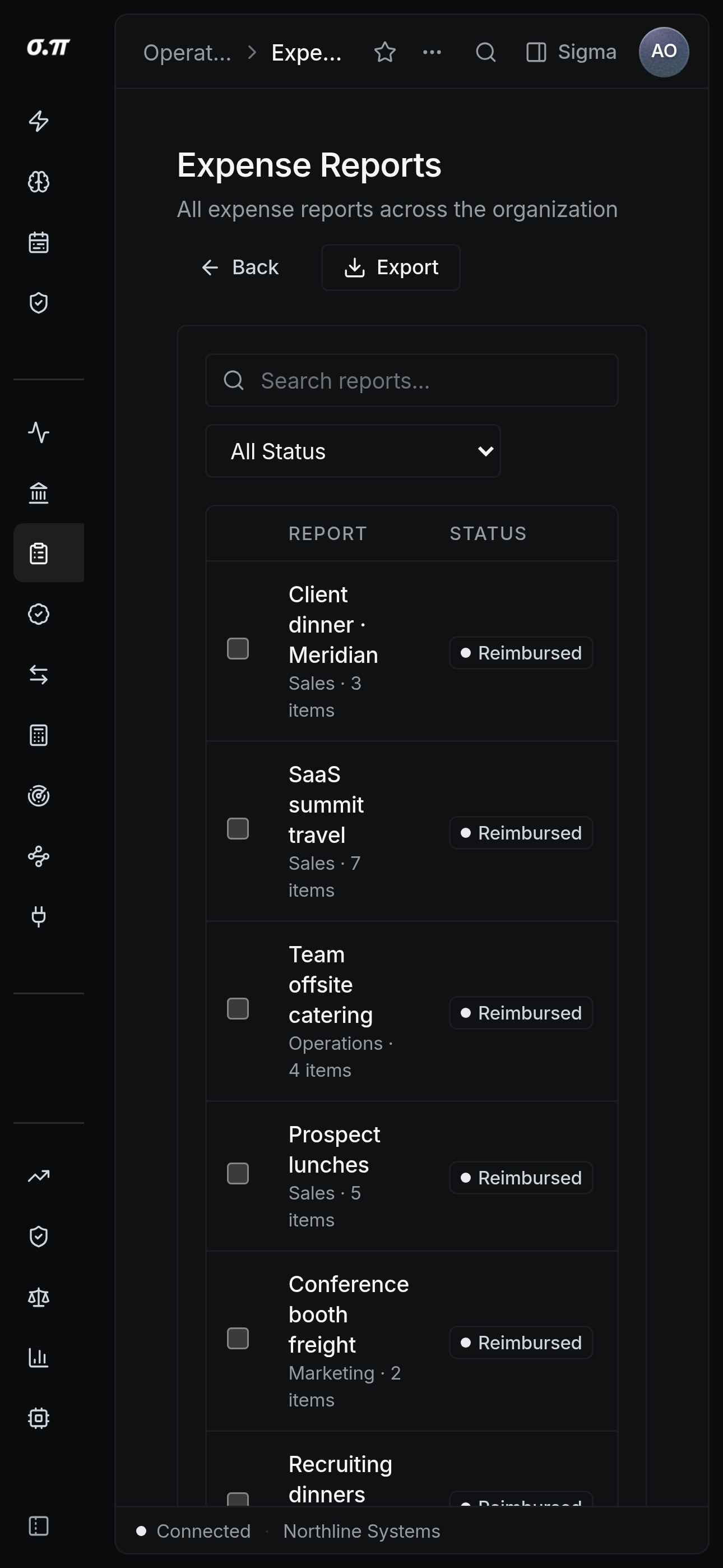
Every figure from the desktop appears here, stacked rather than reduced. Tables scroll inside themselves so the page never moves sideways, and figures keep their separators and their alignment at every width.
Questions people actually ask
Yes. Rejected claims return to the person with the reason, and the rest of the report proceeds.
Each claim posts to its own category at approval. The reimbursement payment clears the liability rather than creating a second expense.